Release · October 19, 2026
BorgDock 4.3.0
One new feature, two improvements and one fix in this release.
New
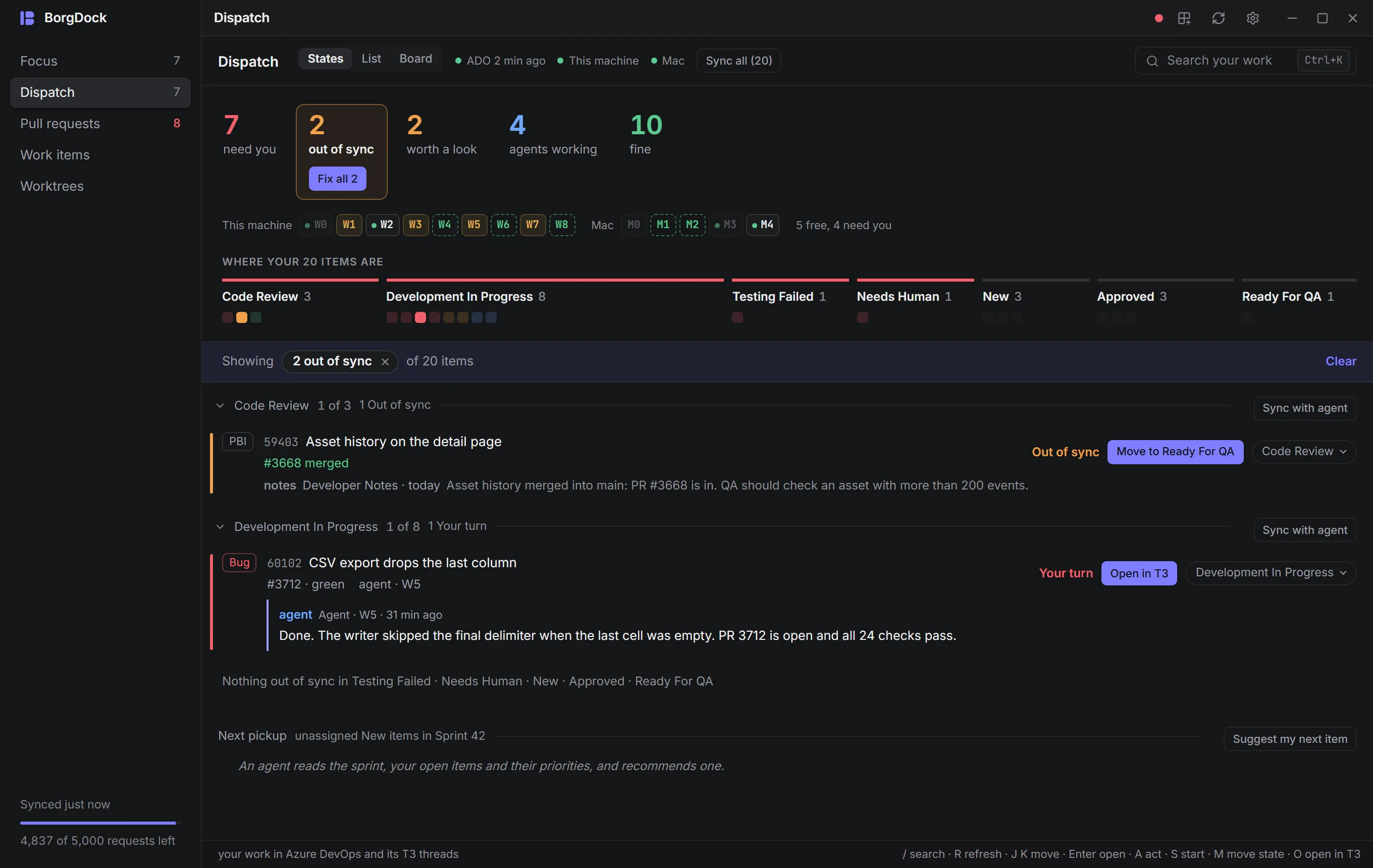
Click a number to see just those items
The counts at the top of Dispatch are now filters. Click *out of sync* and the walk shows only the items that are out of sync, with "1 of 3" next to each state and the states without any folded into one line. It works the same for *need you*, *worth a look*, *agents working* and *fine*, and in the List and Board layouts too, where the counts sit as chips above your slots. Click the number again, choose Clear or press Esc to see everything.
Improved
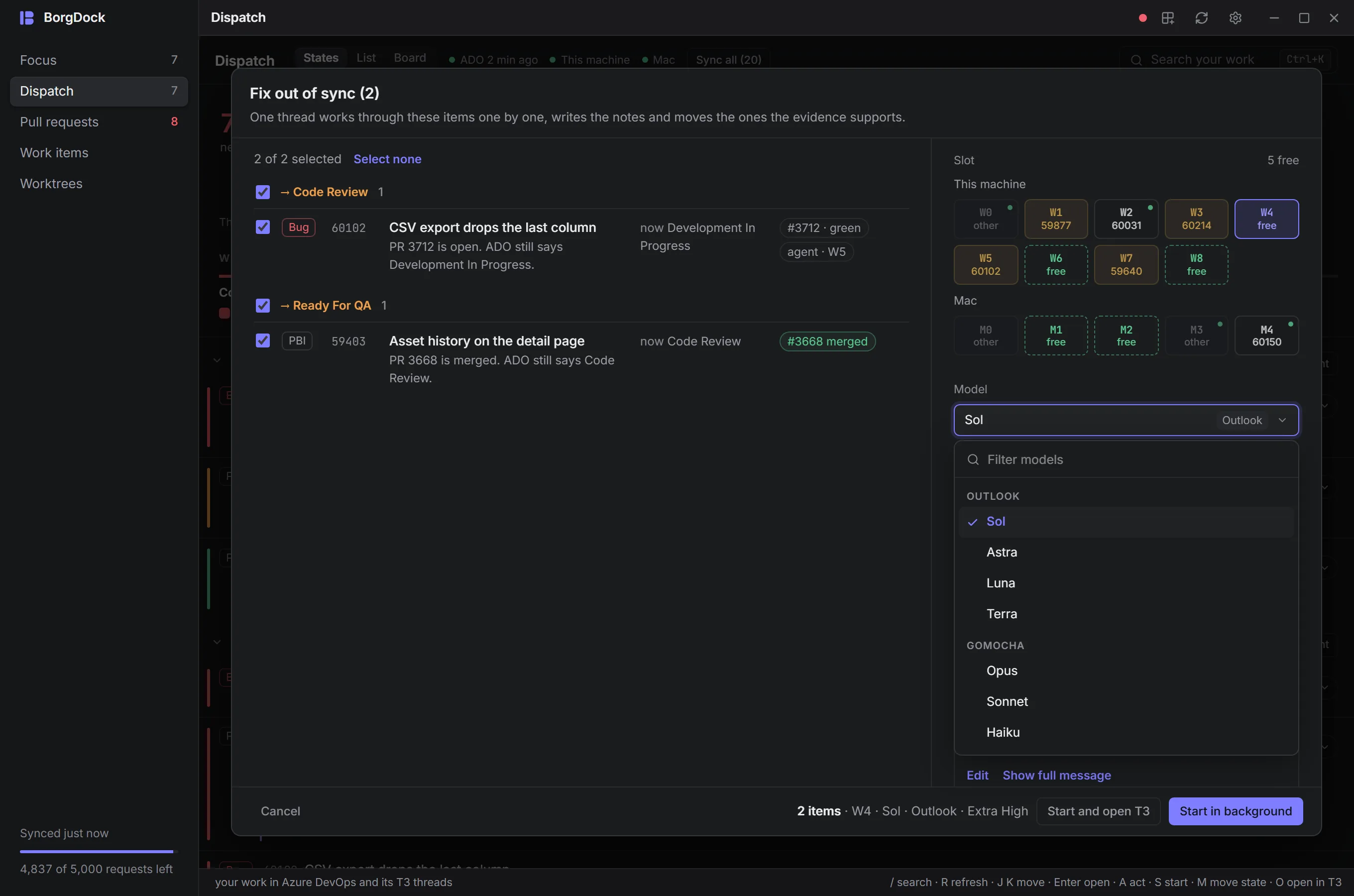
A sync sheet that fills your window
Fix out of sync and Sync all now open in a sheet that uses the room you have. Items are grouped by where they will move, so you see at a glance which go to Ready For QA and which to Code Review, and one checkbox picks or drops a whole group. Every item shows its full title, why it moves, where it is now and its pull request. Picking a model is quicker too: type to filter, your recent models come first and the rest are grouped per account. Reasoning levels are buttons, and each slot tile tells you which item holds it.
Improved
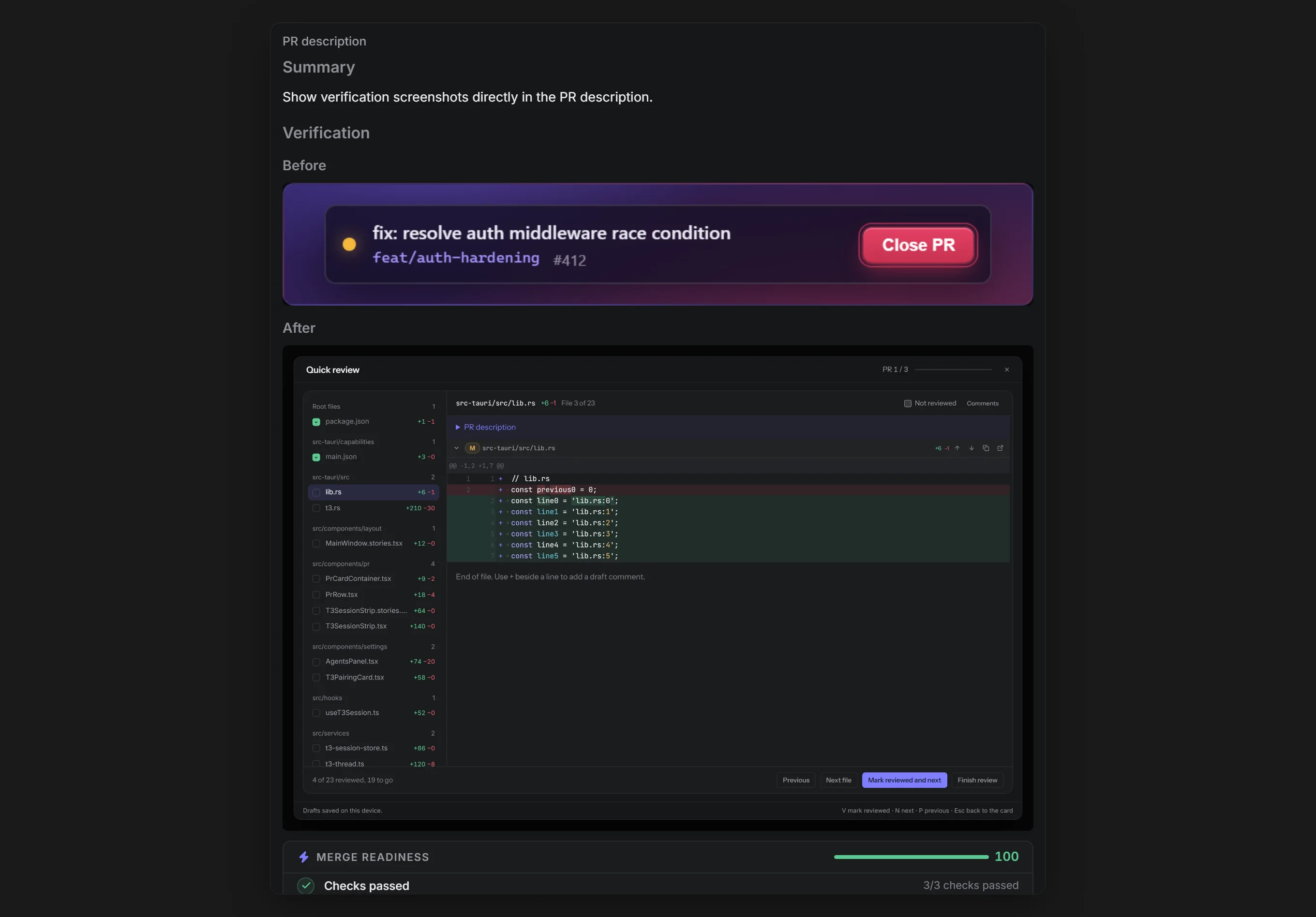
Screenshots right in the pull request description
Quick Review and the pull request overview now show the whole description with its images, including screenshots hosted on Azure that used to be blocked. The description is wider, its screenshots are bigger and linked work items moved to the side. The separate Developer Proof panel is gone, because the description shows it all.
Also in this release
- A finished sync no longer gets stuck at "0 of 8 moved". Dispatch reads Azure DevOps again when a sync stops or when you press Refresh, signs in again when ADO answers with its login page, and marks progress it could not check as unverified, with a Retry button.
Put it on the side of your screen.
Version 4.4.3, released October 22, 2026. Install it once and it keeps itself up to date.