Release · October 15, 2026
BorgDock 4.2.0
One new feature, three improvements and two fixes in this release.
New
Your morning at a glance
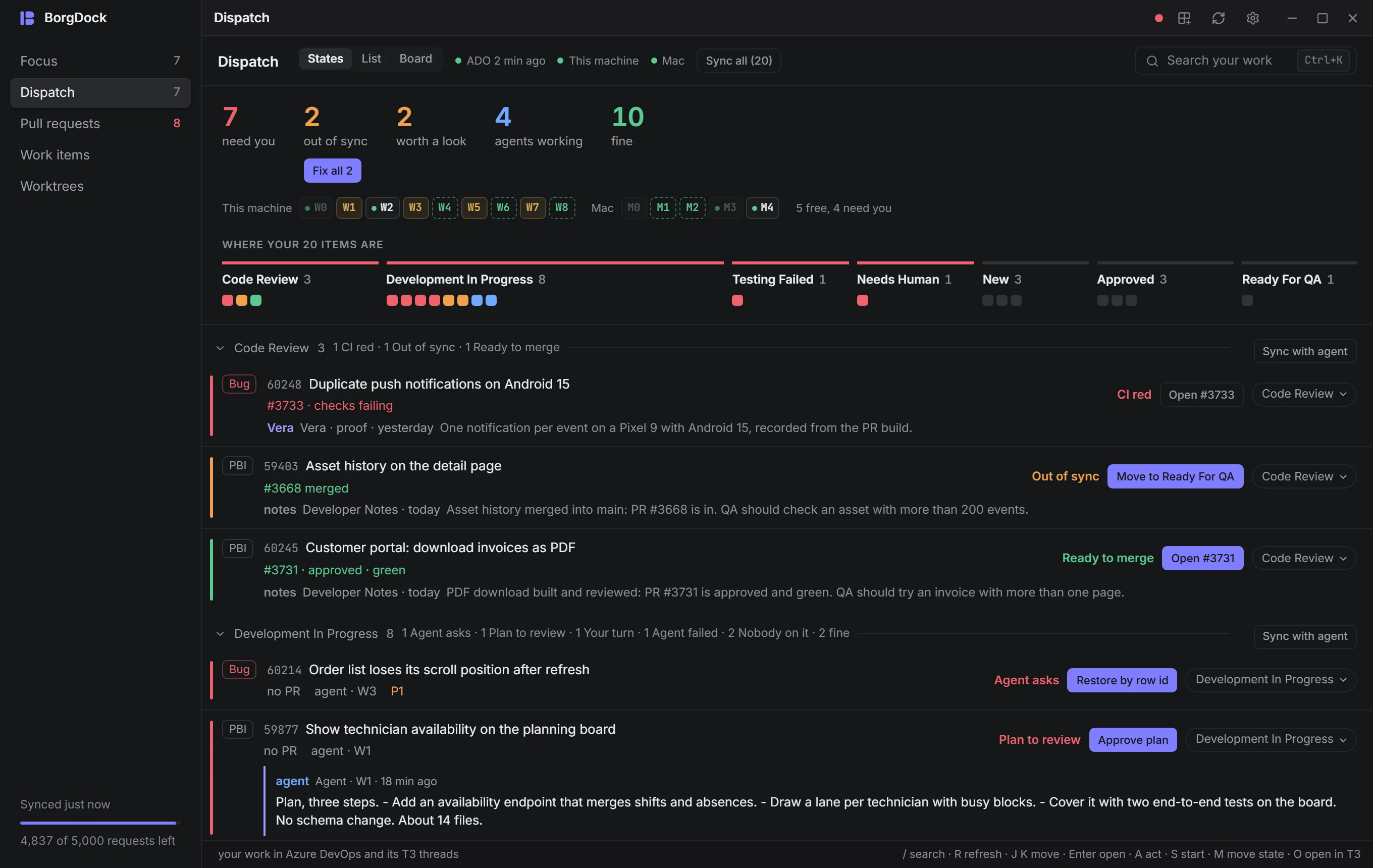
Dispatch now opens with a briefing. Big numbers tell you how many items need you, how many are out of sync, which are worth a look, how many agents are working and how many are fine. Below them, every state gets a strip with one square per item in the colour of its verdict. Click a state to jump to its section, or a square to open that item. Fix all brings every out-of-sync item in line with one click.
Improved
Watch a sync while it works
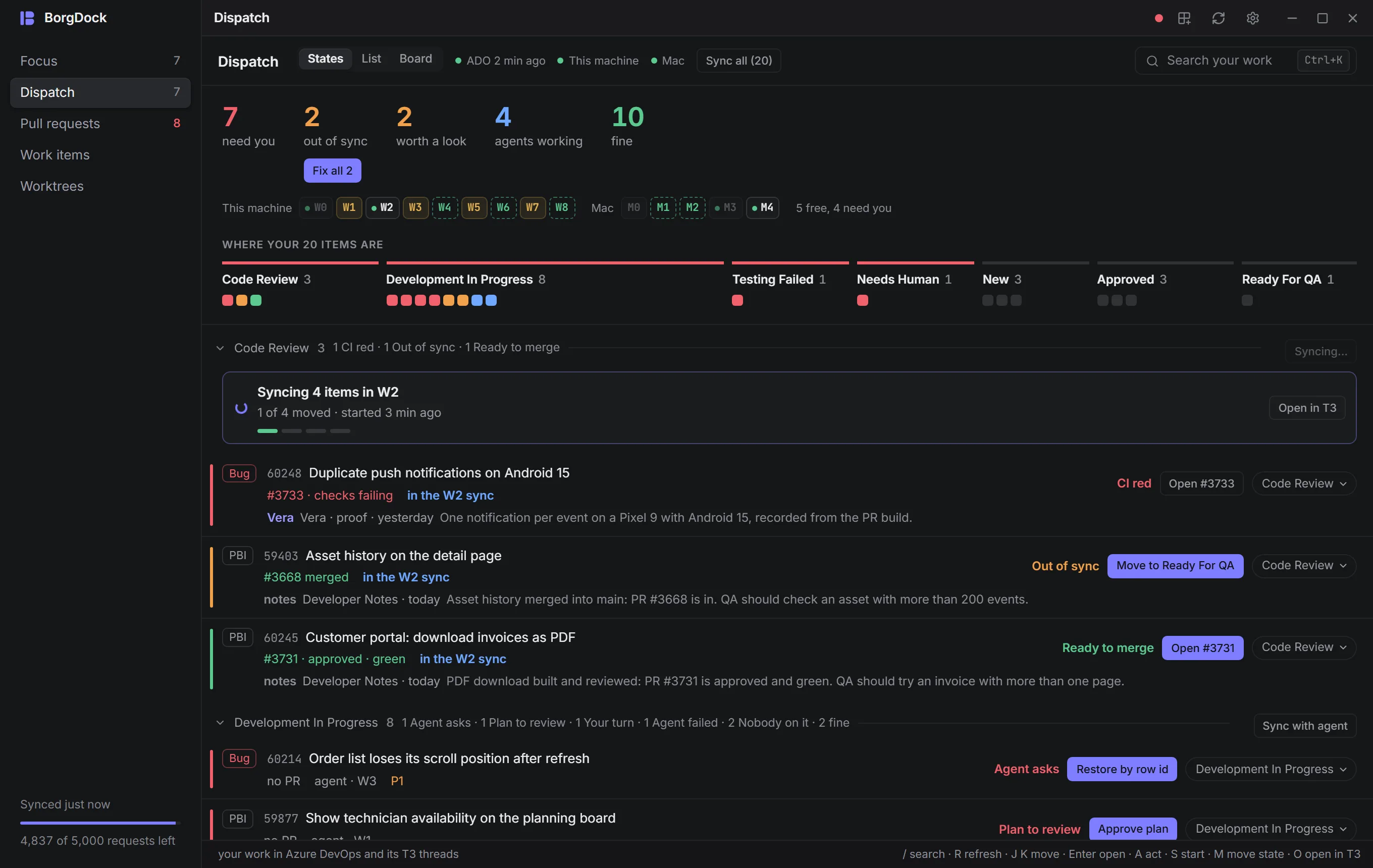
Once you start a sync, a card in its section shows the agent at work, how many items it has moved so far and a bar per item. The items it covers are marked, so you know not to touch them. When the agent finishes, the card shows what it did, with Open in T3 one click away.
Improved
A sync sheet with room to breathe
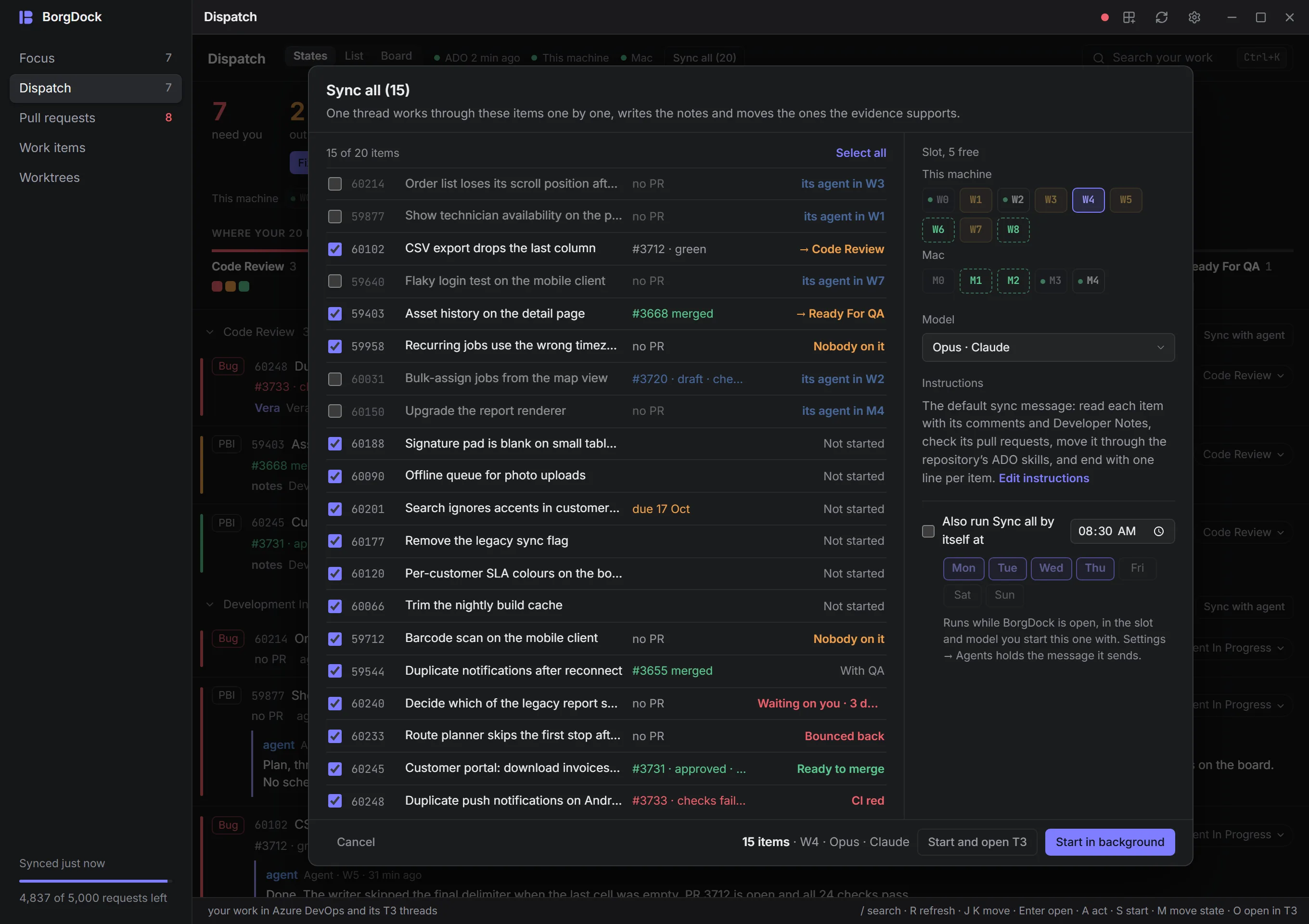
The sync sheet is now wide enough for real titles. Each item shows its pull request and the move it will get, with slot and model beside them. The long first message stays folded until you choose Edit instructions. When you start, a notice tells you what started and where, with Open in T3 and Show me.
Improved
A brighter light theme
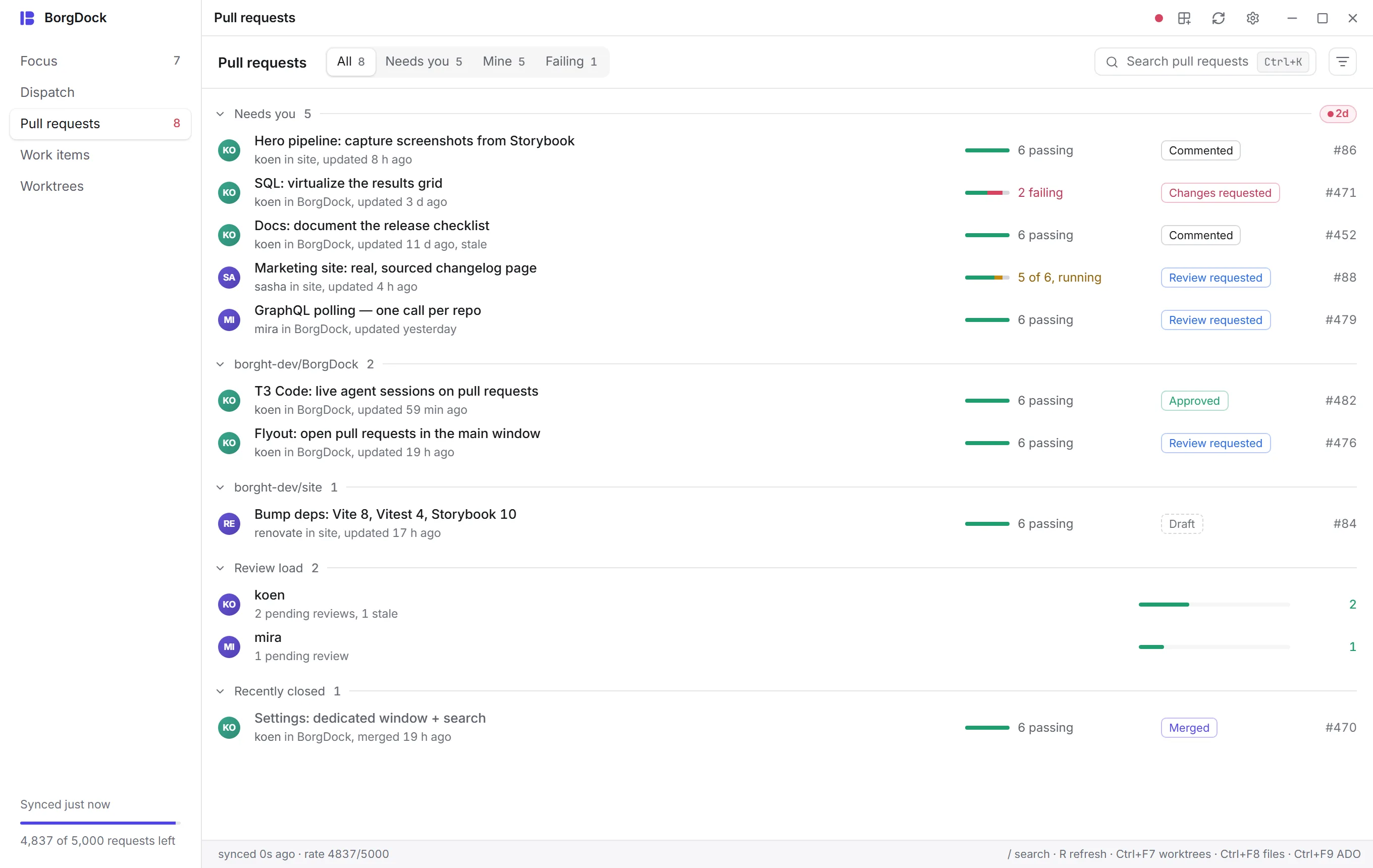
The light theme now uses a clean white background instead of grey, so nothing looks disabled anymore.
Also in this release
- The notice that a sync started is readable again in the light theme. It no longer shows the buttons behind it through its text.
- The state menu on a Dispatch item now has a solid background in the light theme.
Put it on the side of your screen.
Version 4.4.3, released October 22, 2026. Install it once and it keeps itself up to date.