Release · October 12, 2026
BorgDock 4.0.0
Five new features, five improvements and two fixes in this release.
New
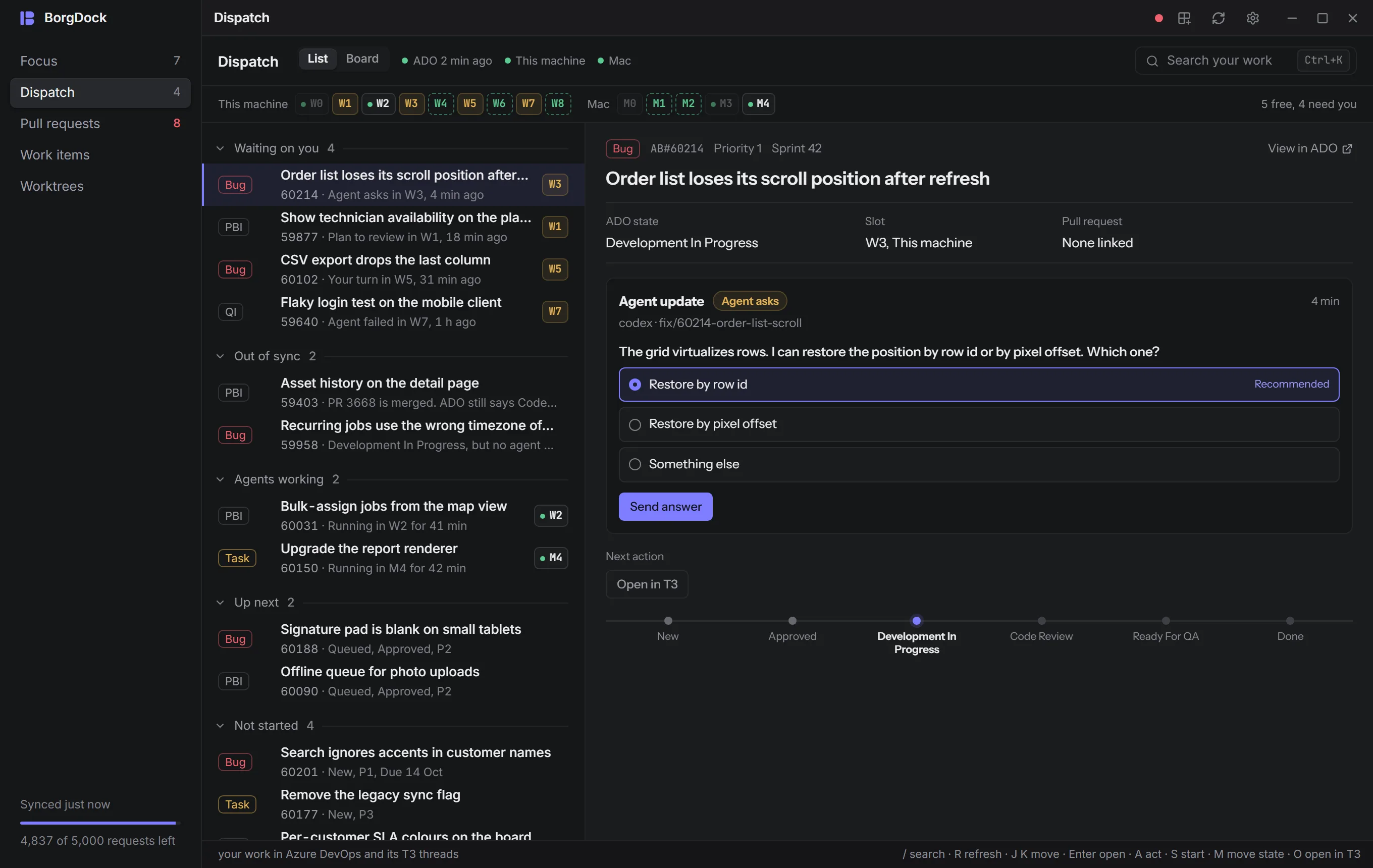
Dispatch: your work and the agents on it
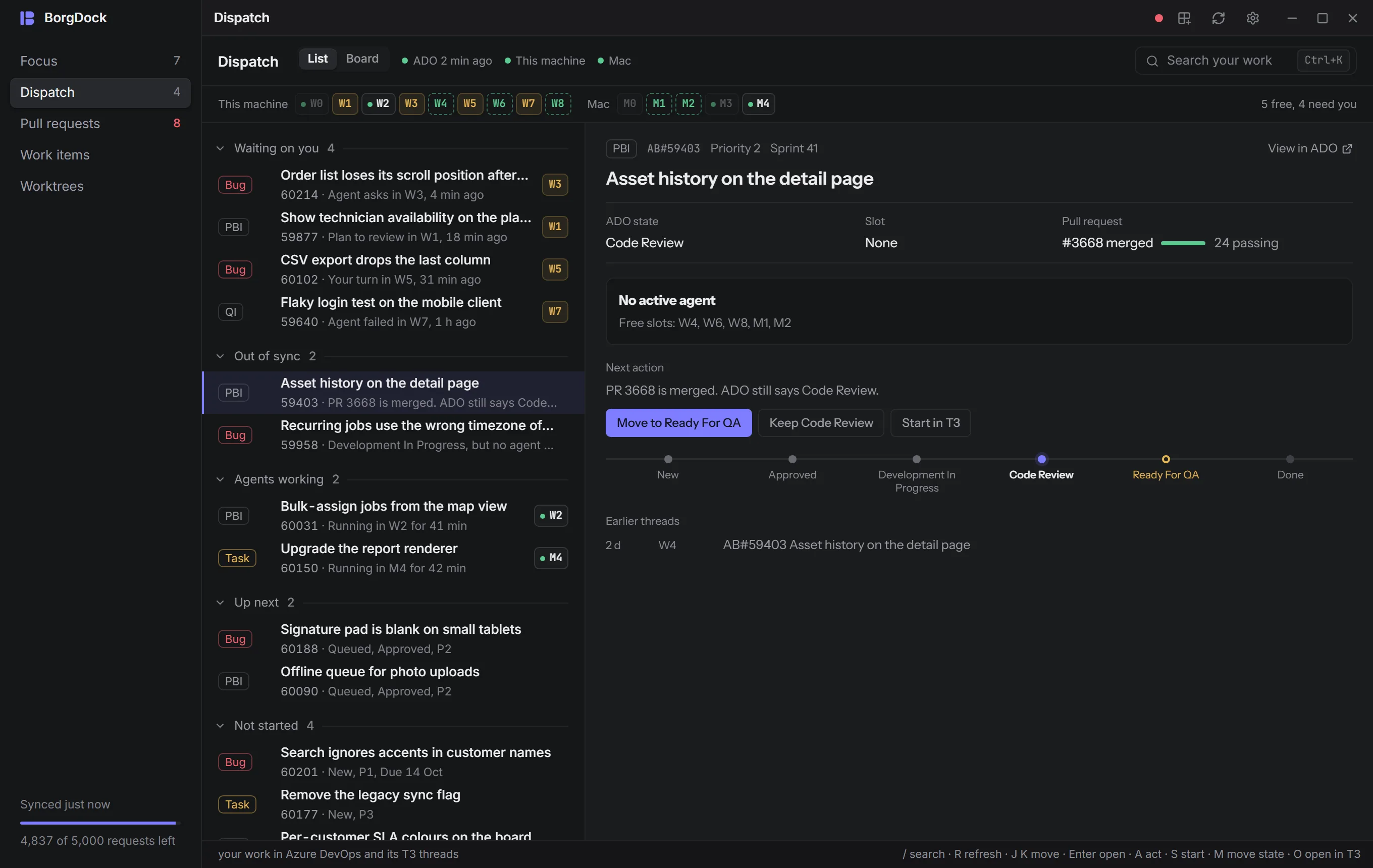
A new section, second in the rail, shows every Azure DevOps item assigned to you with the T3 Code threads and the pull request that belong to it. Items are sorted by what they need: waiting on you, out of sync, agents working, up next, not started. Each row tells you why it is there, and the strip above shows which T3 projects are free.
New
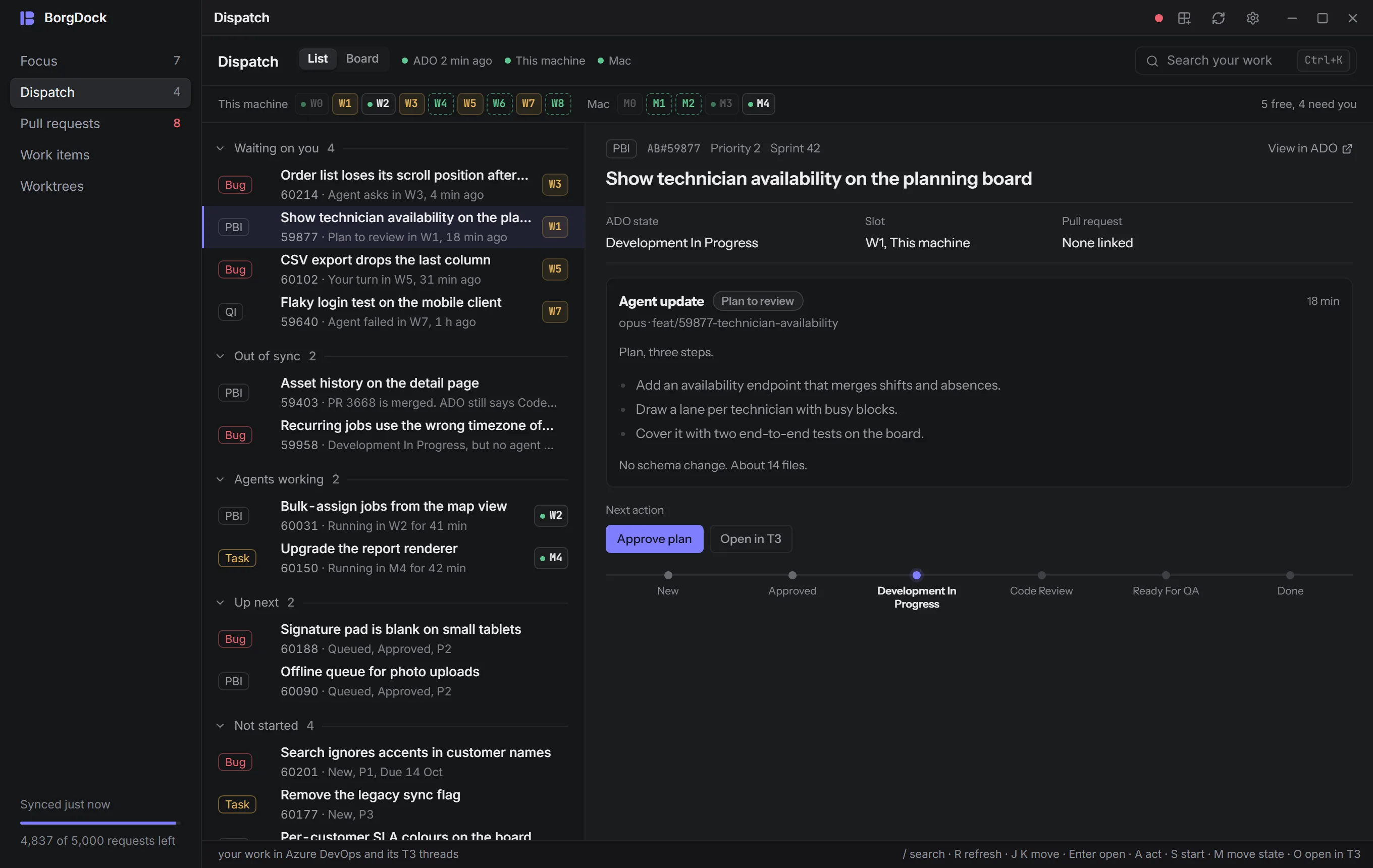
Answer your agents without leaving BorgDock
When an agent asks a question you see its options next to the item, and you can pick one or type your own. A plan gets Approve plan, a finished thread gets Settle thread, and Open in T3 is one key away when you want the whole conversation.
New
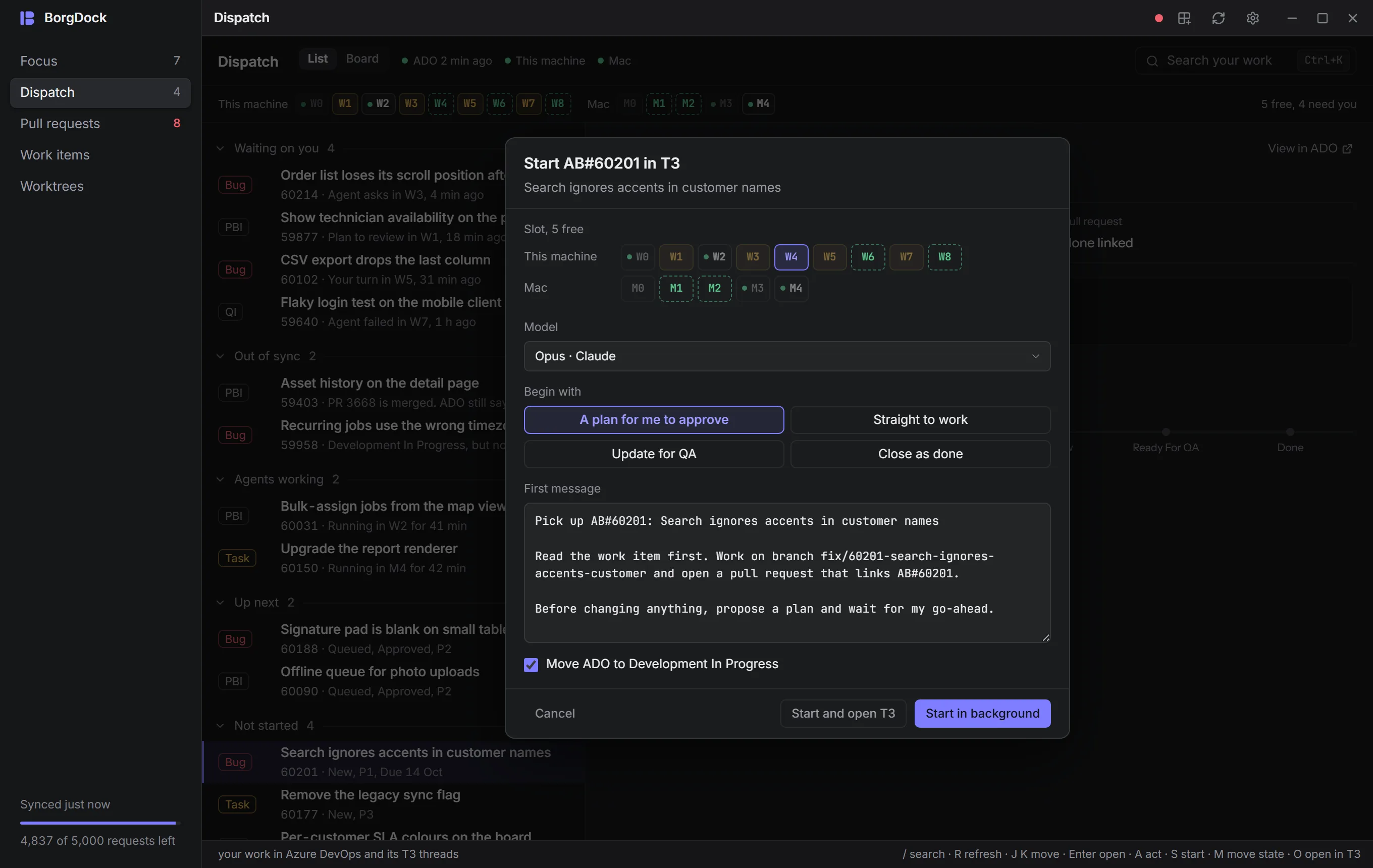
Start an agent on a work item
Press S, drop an item on a free slot, or use Start in T3 on any work item. Pick the slot, the model and how the agent should begin: a plan for you to approve, straight to work, an update for QA, or closing as done. You can edit the first message before it goes out, and the prompts behind it live in Settings → Agents.
New
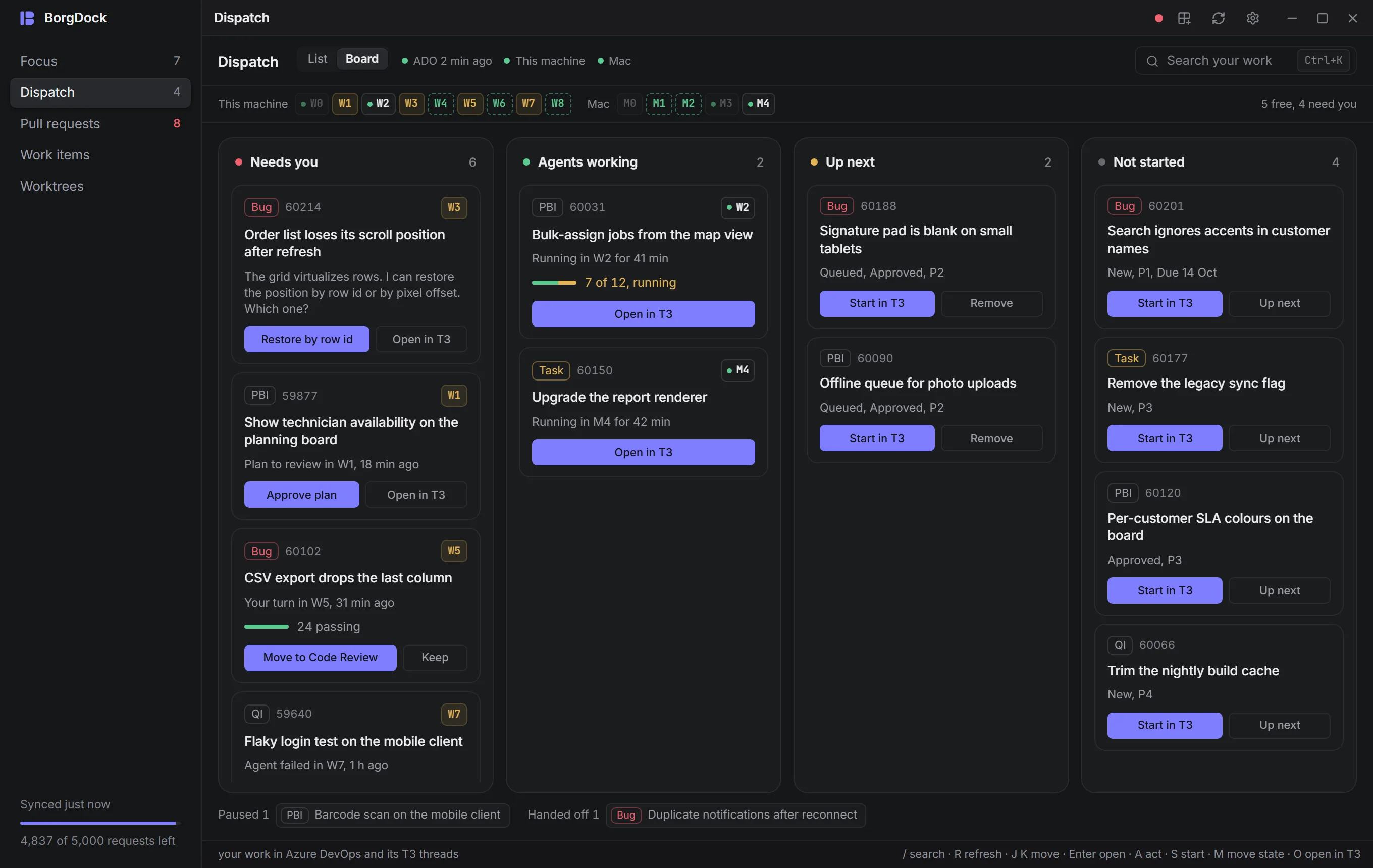
A board for your work
Switch Dispatch to Board and see Needs you, Agents working, Up next and Not started side by side. Drag a card onto a free slot to start it, or click one to open its detail in a drawer.
New
Items that fell out of sync
When a pull request merges and its work item stays behind in an earlier state, Dispatch lists the item under Out of sync and offers the state move that fits your own workflow. One click moves it, and Keep leaves it where it is.
Improved
Agents that need you find you
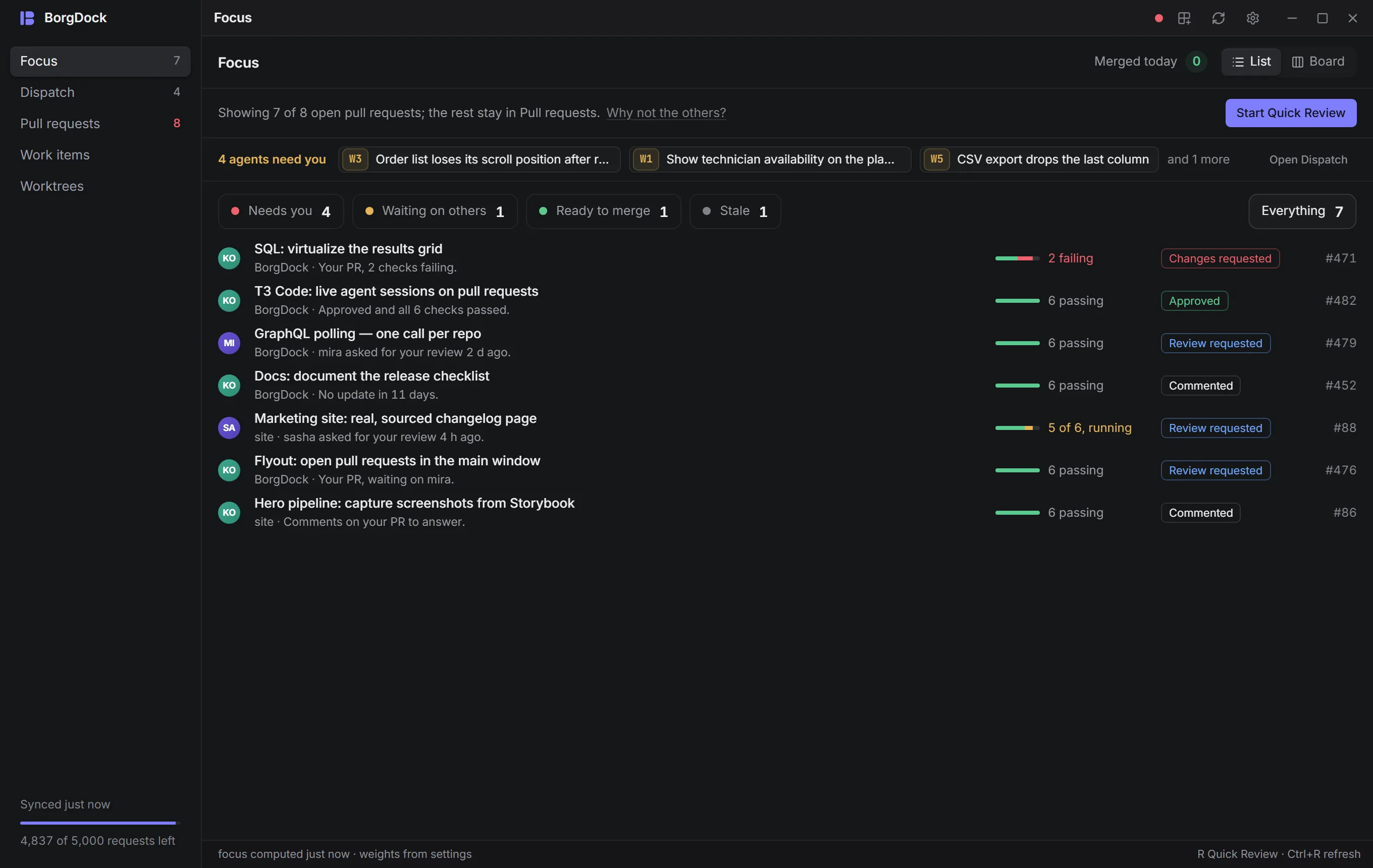
A question, a plan or a failed agent now sends a notification with the obvious action on it. The same items show at the top of Focus and above your pull requests in the tray flyout.
Improved
T3 Code on other machines
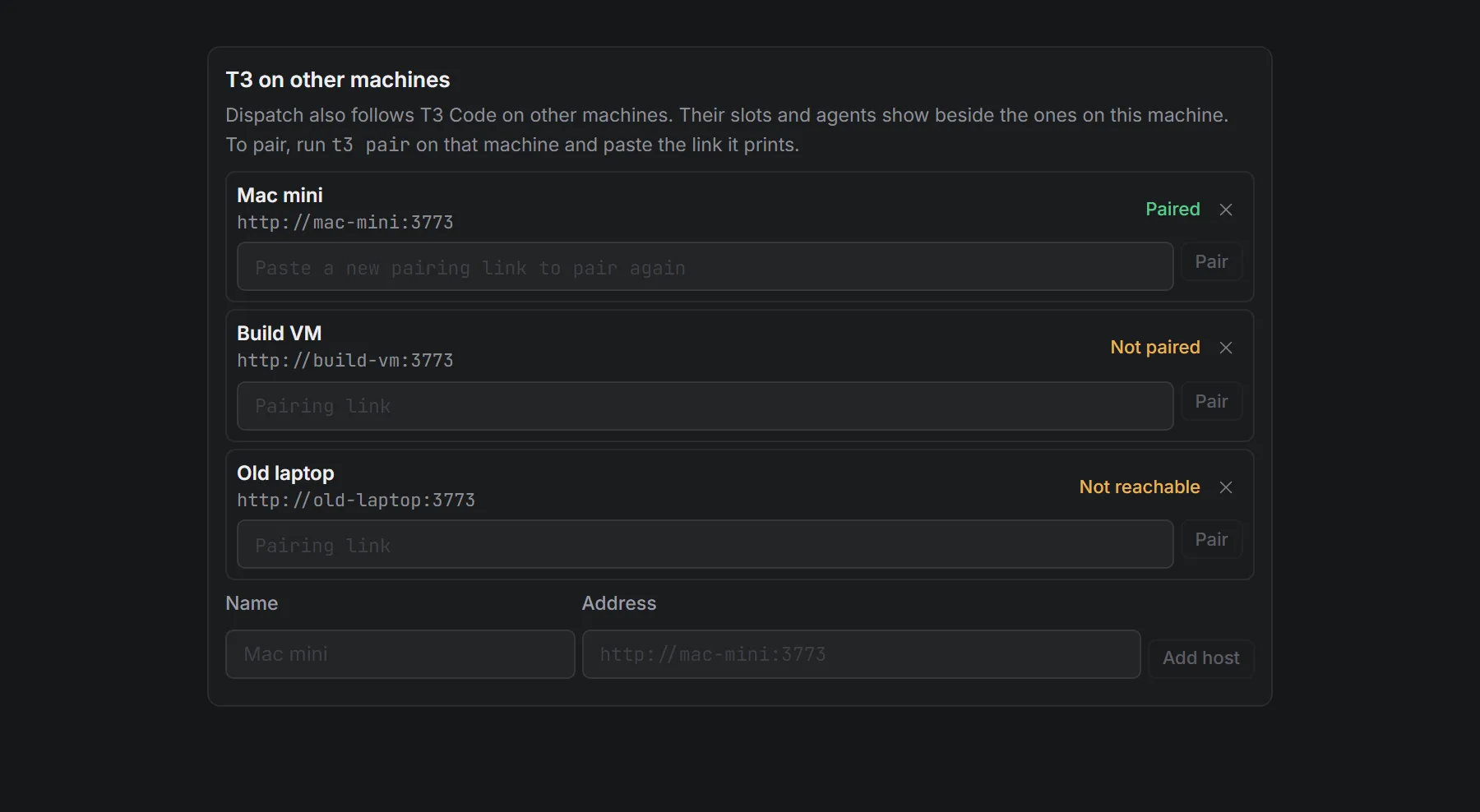
Add a Mac mini or a build machine under Settings → Agents and its slots and agents show beside the ones on this machine. A machine that goes offline keeps its last known work on screen, so you don't start a second agent on an item that already has one.
Also in this release
- Pairing with T3 Code takes one click: Settings → Agents → Pair with T3 on this machine.
- The star on a work item now also queues it under Up next in Dispatch.
- Keys 1 to 5 switch sections, now that Dispatch sits between Focus and Pull requests.
- T3 threads on pull requests are live again. BorgDock now speaks the protocol of current T3 Code builds, so the strip no longer shows week-old threads and Open a new thread in T3 works.
- An expired T3 pairing no longer shows as paired.
Put it on the side of your screen.
Version 4.4.3, released October 22, 2026. Install it once and it keeps itself up to date.