Release · September 28, 2026
BorgDock 3.0.0
Five new features, six improvements and five fixes in this release.
New
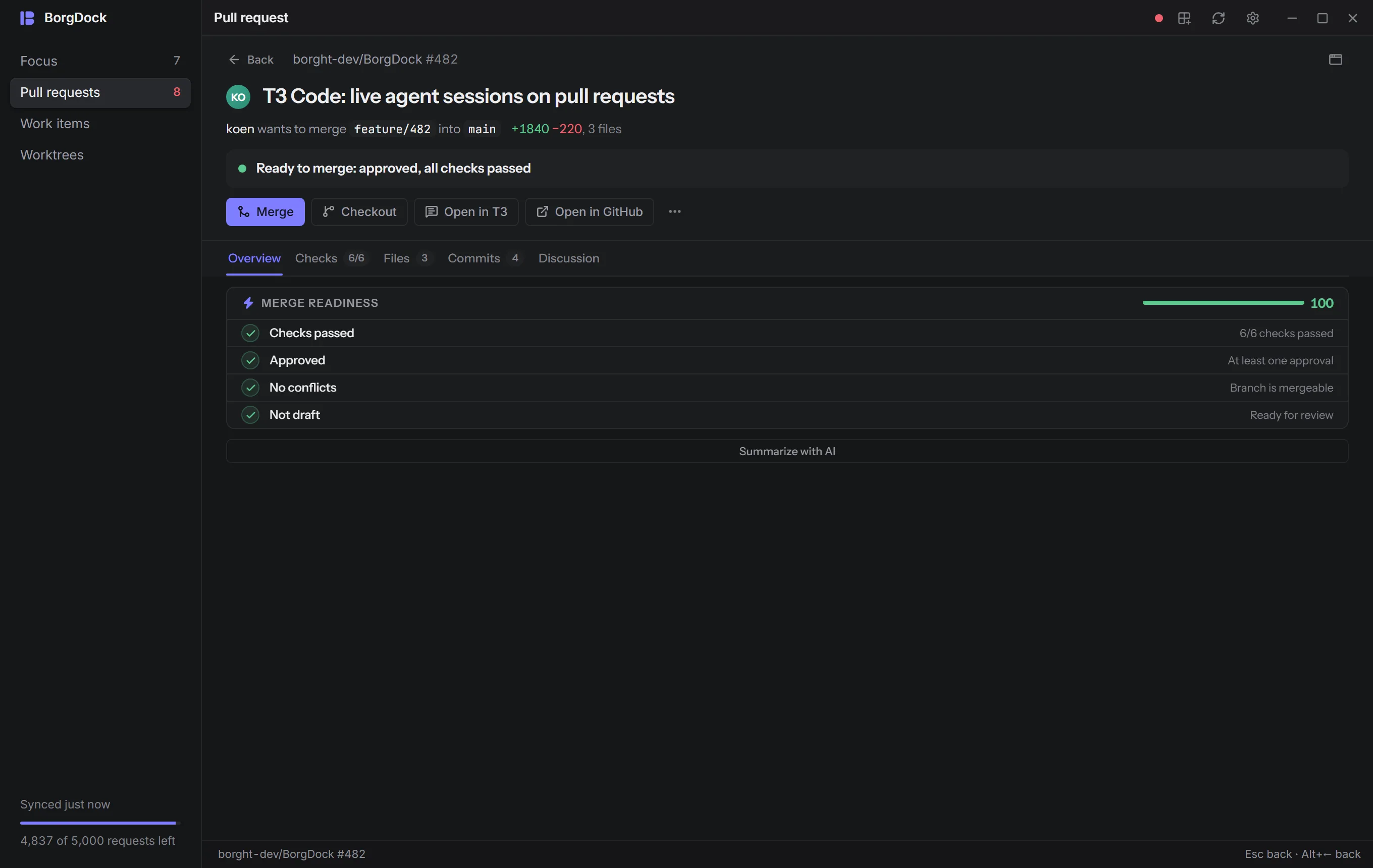
A new layout with a rail and full-screen pull requests
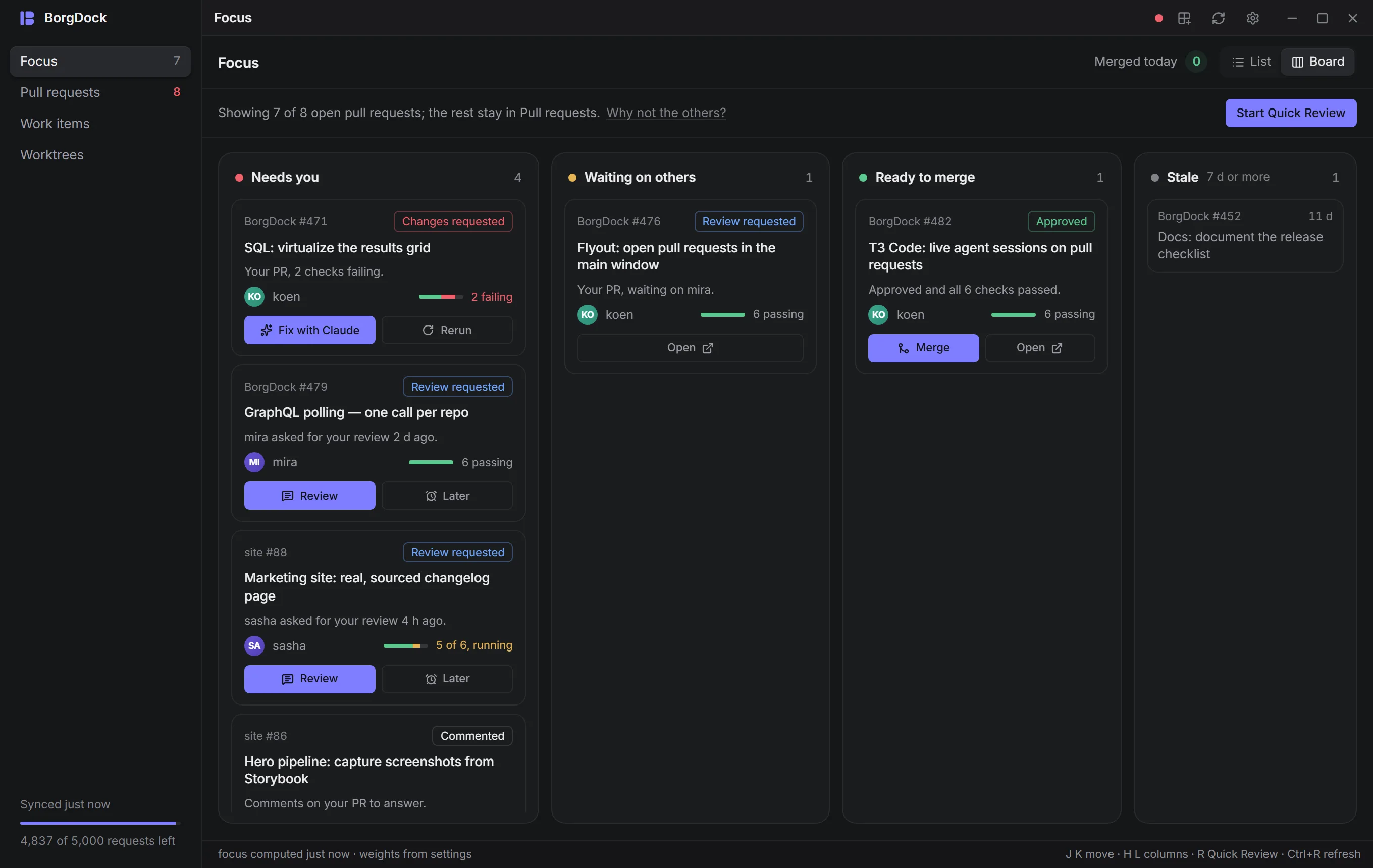
BorgDock now has a rail on the left with Focus, Pull requests, Work items and Worktrees, and your sync state and GitHub rate at the bottom. Click a pull request and it opens full screen right in the window, with its checks, files, commits and discussion one tab away. Press Esc or Back and you land on the same row, scrolled where you left it. Still want a separate window? Ctrl+click the row or pick Open in window.
New
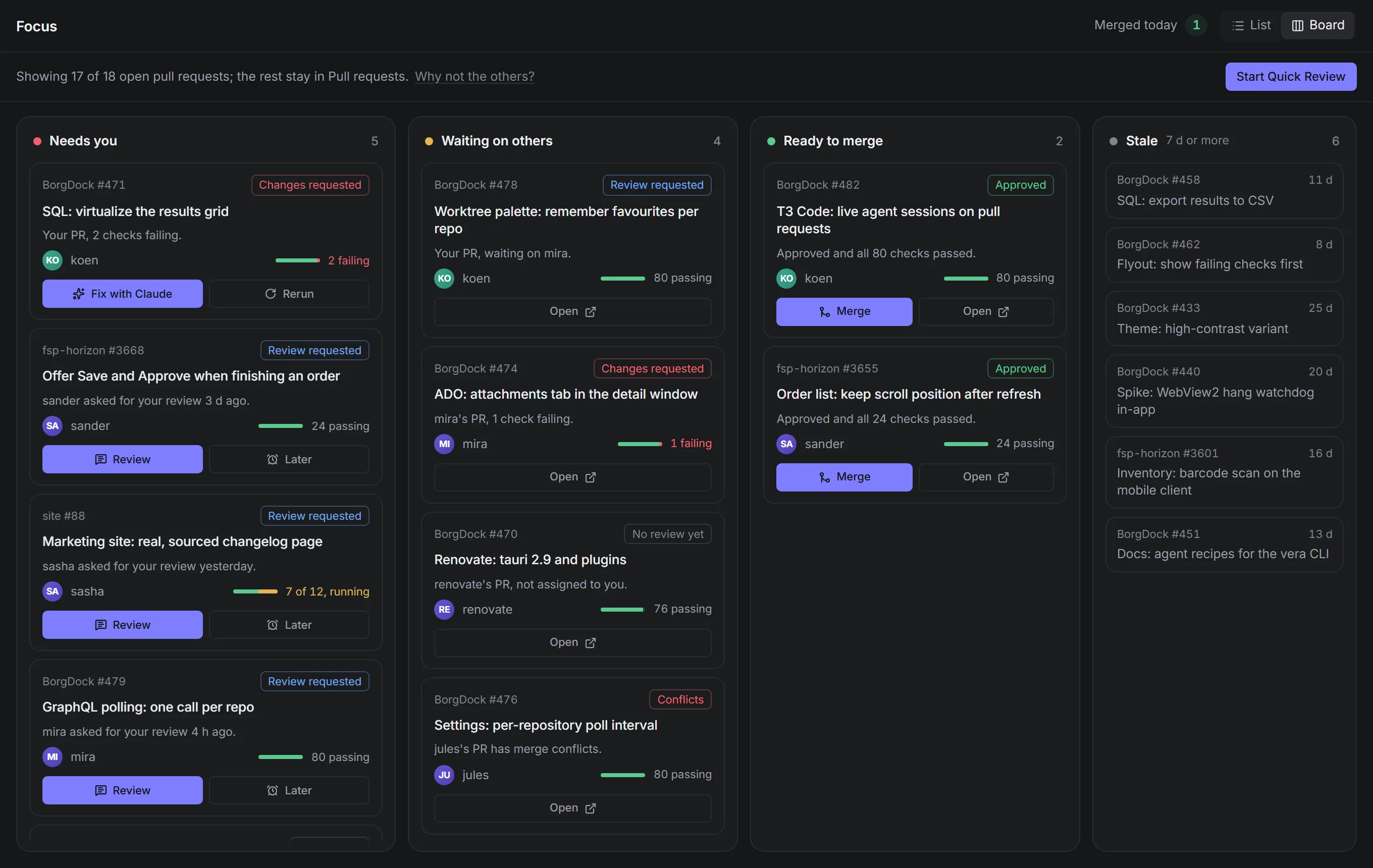
Focus as a list or a board
Focus now tells you why each pull request is there, like "mira asked for your review 2 d ago." or "Your PR, 2 checks failing." Filter by Needs you, Waiting on others, Ready to merge or Stale with one click, or switch to the board and see all four side by side. Every card carries the one action it needs: Review, Fix with Claude, Rerun or Merge.
New
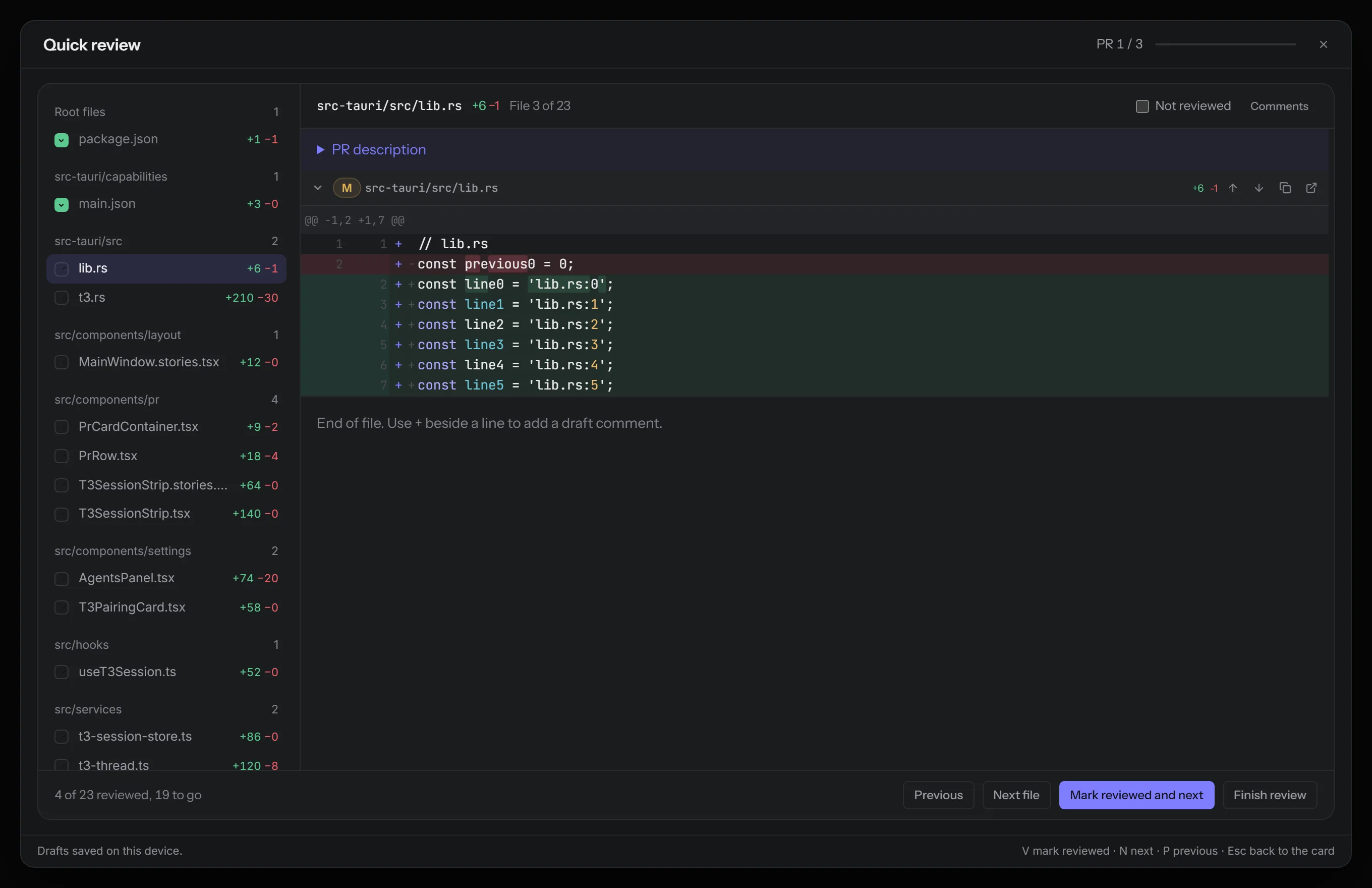
Quick Review for large pull requests
Review opens Quick Review wherever you are: a row, the board, the detail view or the tray flyout. Files are grouped by folder, you always see how many are left, and generated files like lockfiles and snapshots can be skipped in one go. Approve unlocks once every file that matters is marked, so nothing slips through.
New
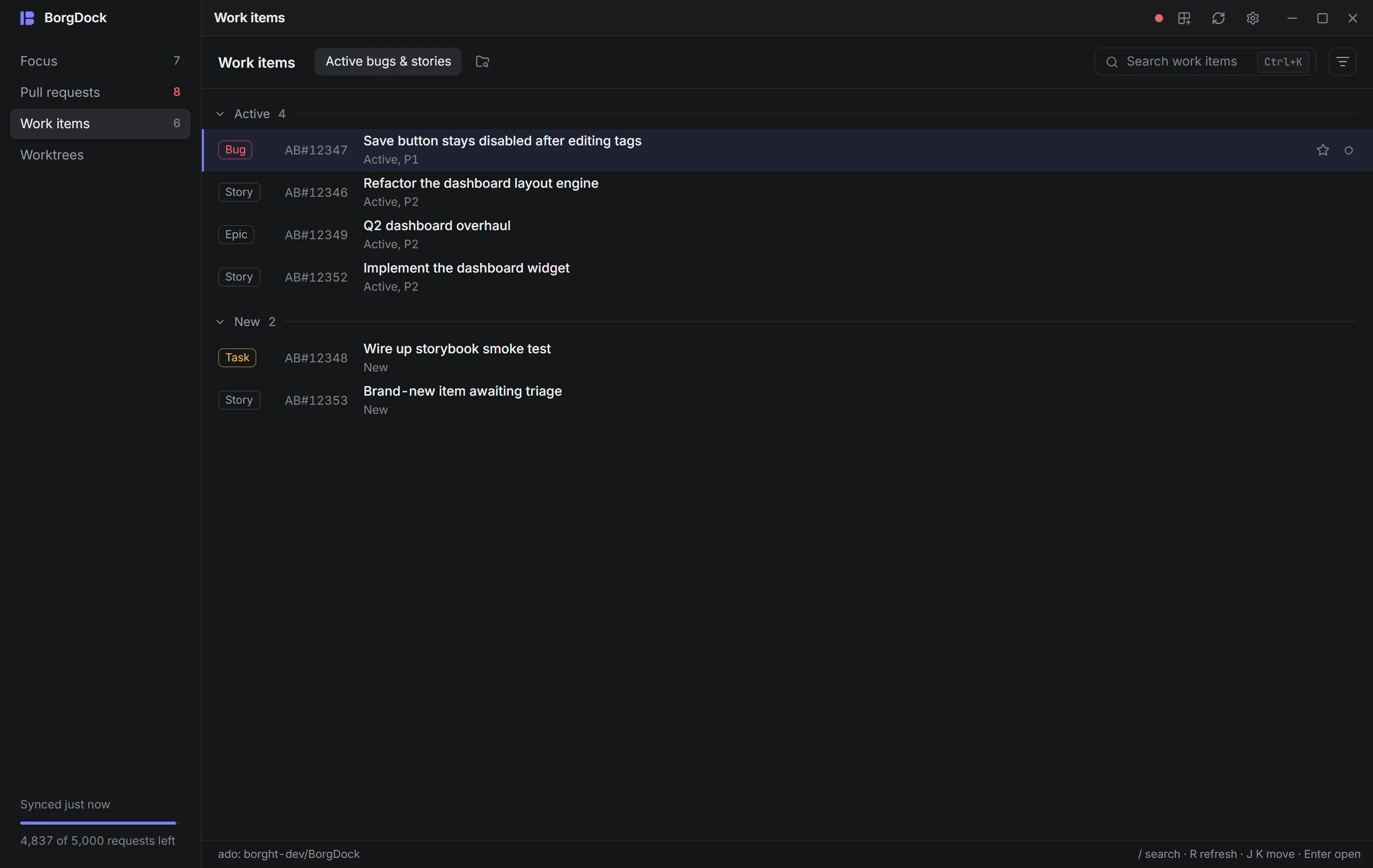
Work items and worktrees in the main window
Your Azure DevOps queries now live in the Work items section, grouped by state, and an item opens full screen just like a pull request. Worktrees has a section of its own: every worktree of every repository you watch, with favourites, its changes beside the list and a link to the pull request on that branch. Ctrl+F7 still opens the worktrees window.
New
A calmer look, and Reduce motion
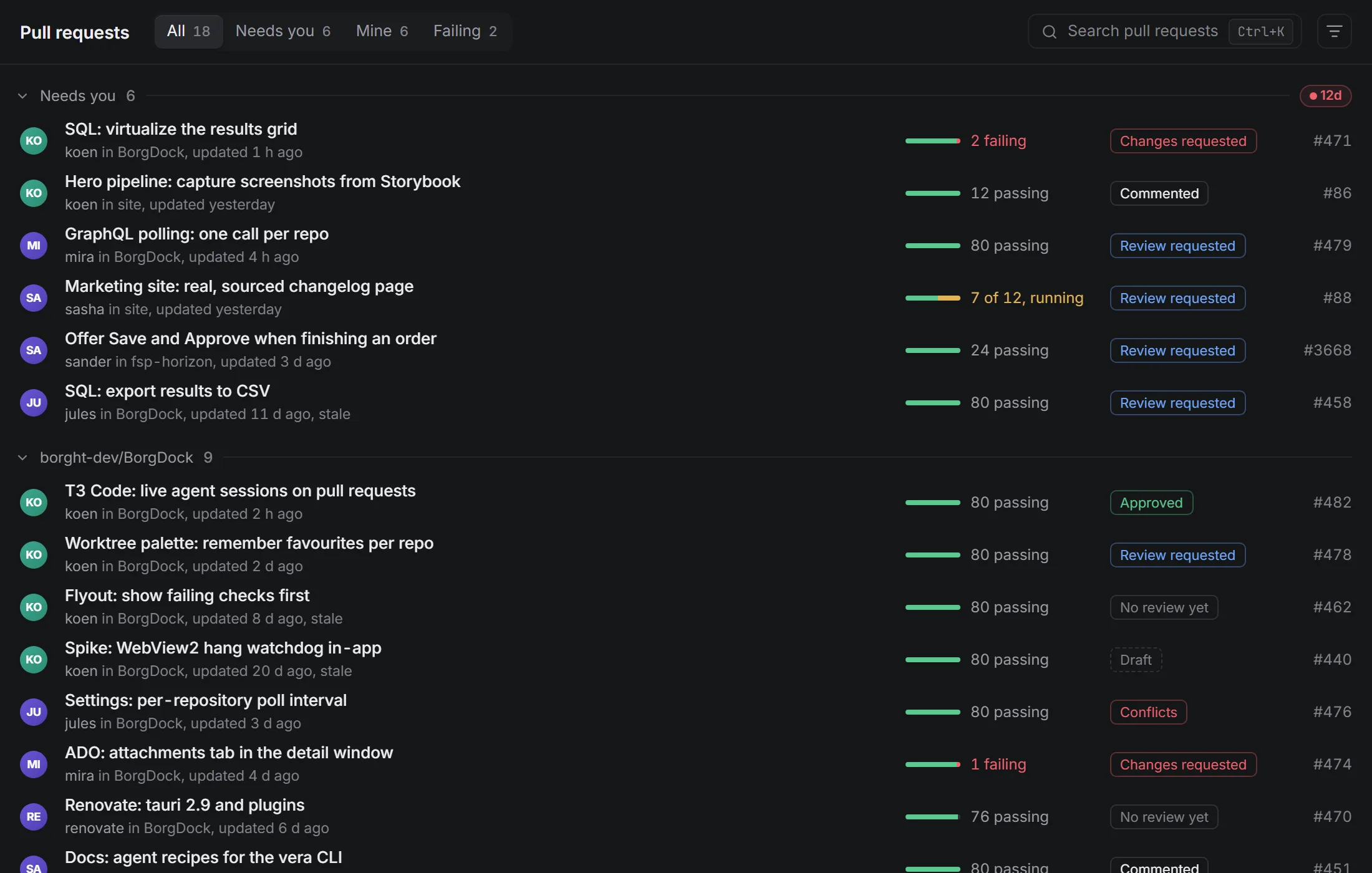
Graphite in dark mode, porcelain in light, Inter for the lists and a quieter row: the title, one line of detail, a check bar and a single review chip. The score rings, hover pill bars and piles of badges are gone. Changes of view move briefly and on purpose, and if you'd rather they didn't, turn on Reduce motion in Settings → Appearance. Your system setting counts too.
Improved
A new logo
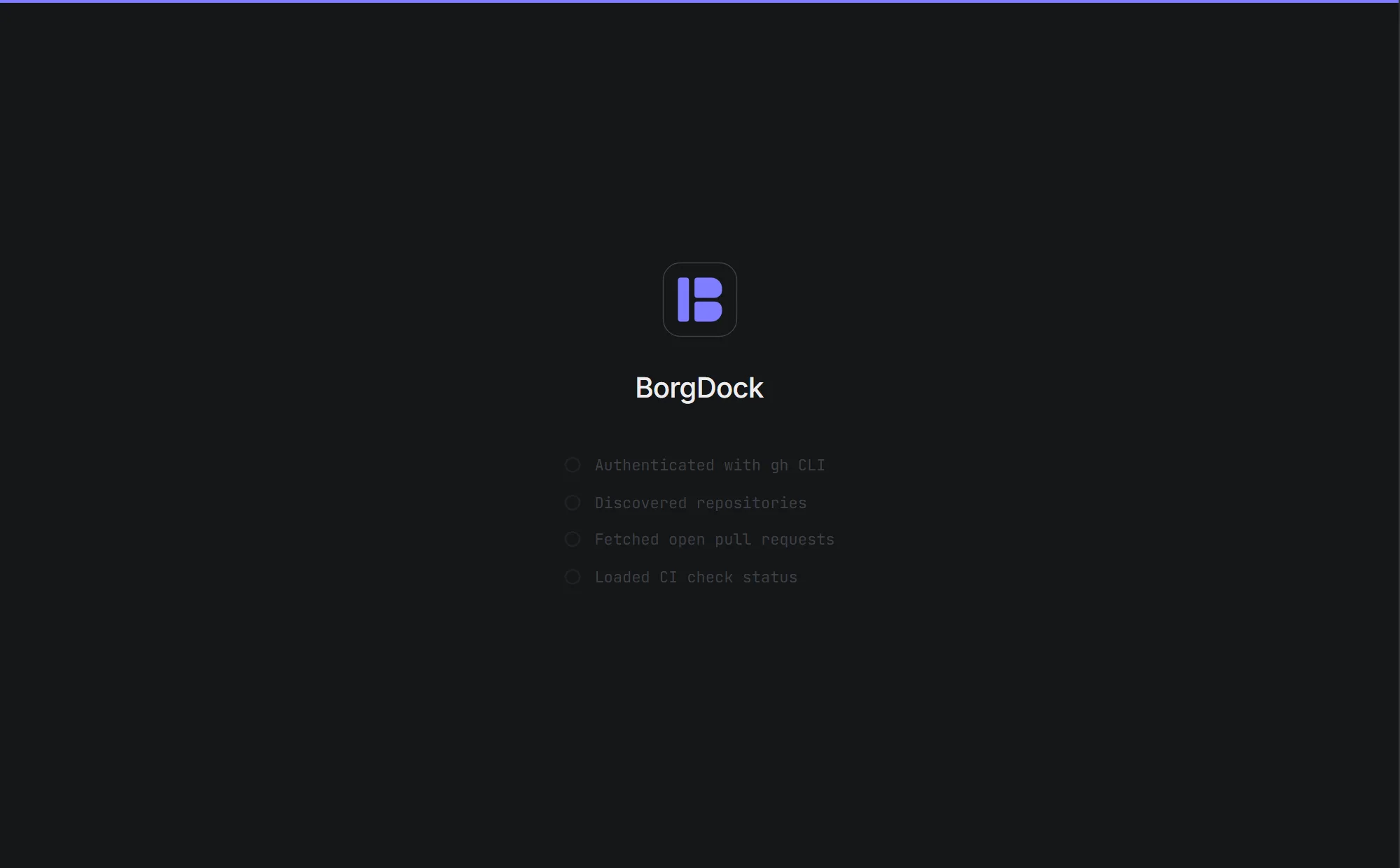
BorgDock has a new mark: a B built from a rail and two docked panels, the same shape as the new layout. You'll find it in the taskbar, the rail, every window's title bar and the tray. The tray tile turns flat red, amber or green with the pull request count in dark ink, so the number stays readable even at 16 px.
Improved
Tool windows in the same style
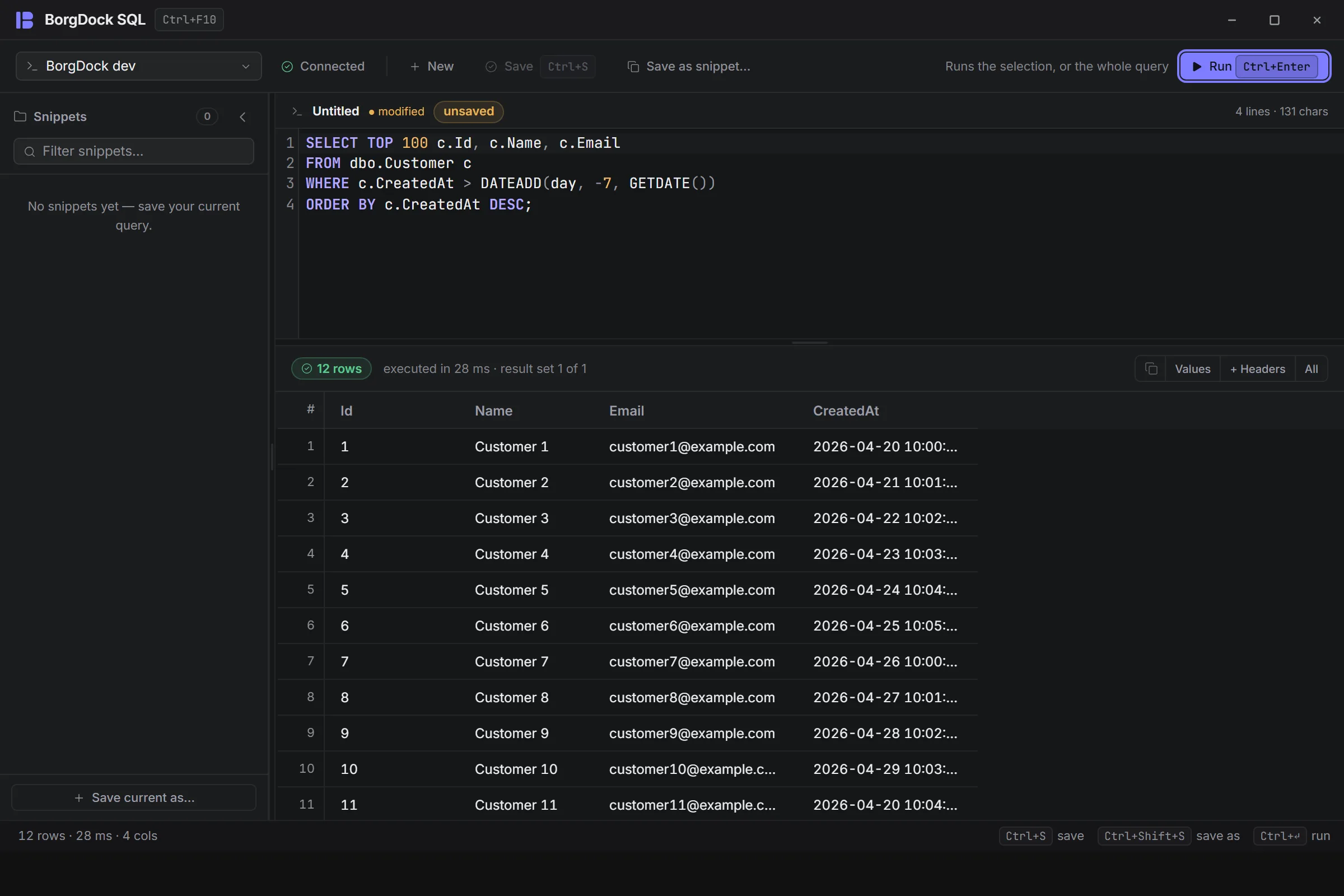
SQL, the file palette, the file viewer, Settings, the setup wizard, What's new and the worktrees window now share the main window's title bar, status bar, fonts and colours, so moving between them feels like one app.
Improved
One theme for every window
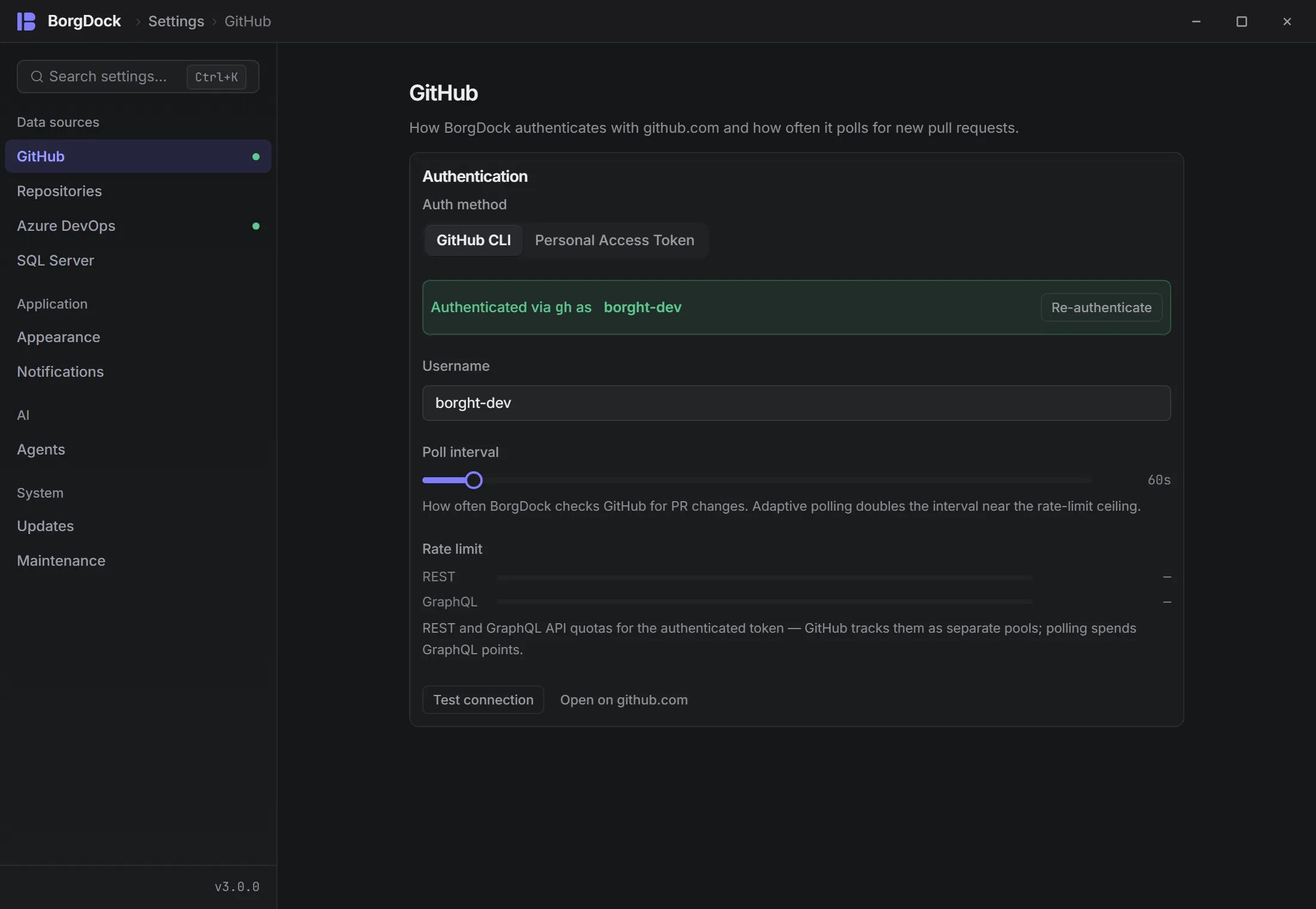
Pick light, dark or system once and every window follows straight away, Settings included. No window flashes the other theme while it opens.
Improved
One keyboard model
1 to 4 switch sections, J and K move, Enter opens, Esc goes back, / or Ctrl+K searches and R refreshes. In Focus, R starts Quick Review for the selected pull request. The status bar always shows the keys for the view you're on.
Improved
Rerun that reruns
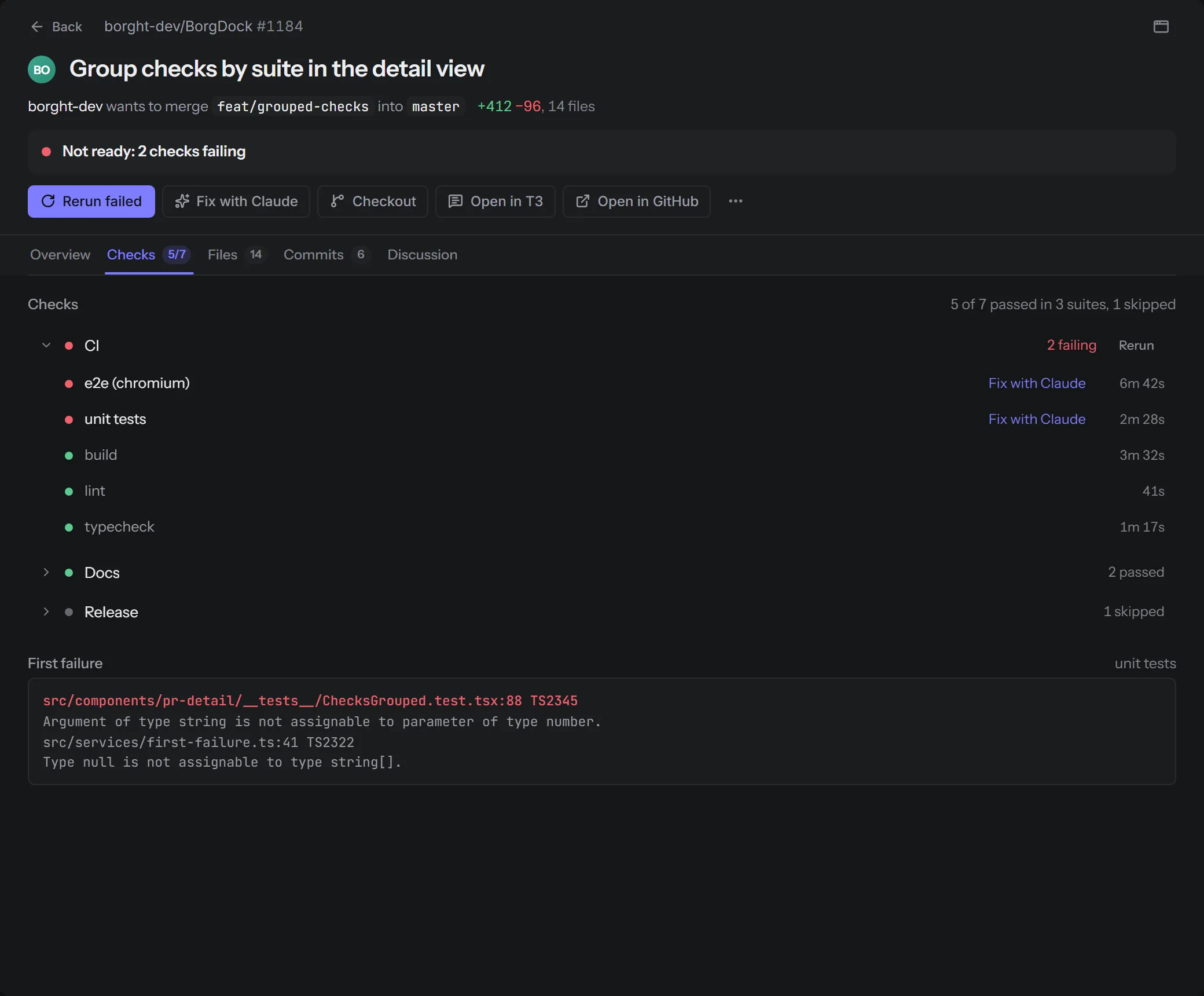
Rerun failed checks now reruns the failed jobs of each GitHub Actions workflow and asks other apps to run their check suites again, each once, from the row menu, the board or the detail view.
Improved
Toasts you can undo
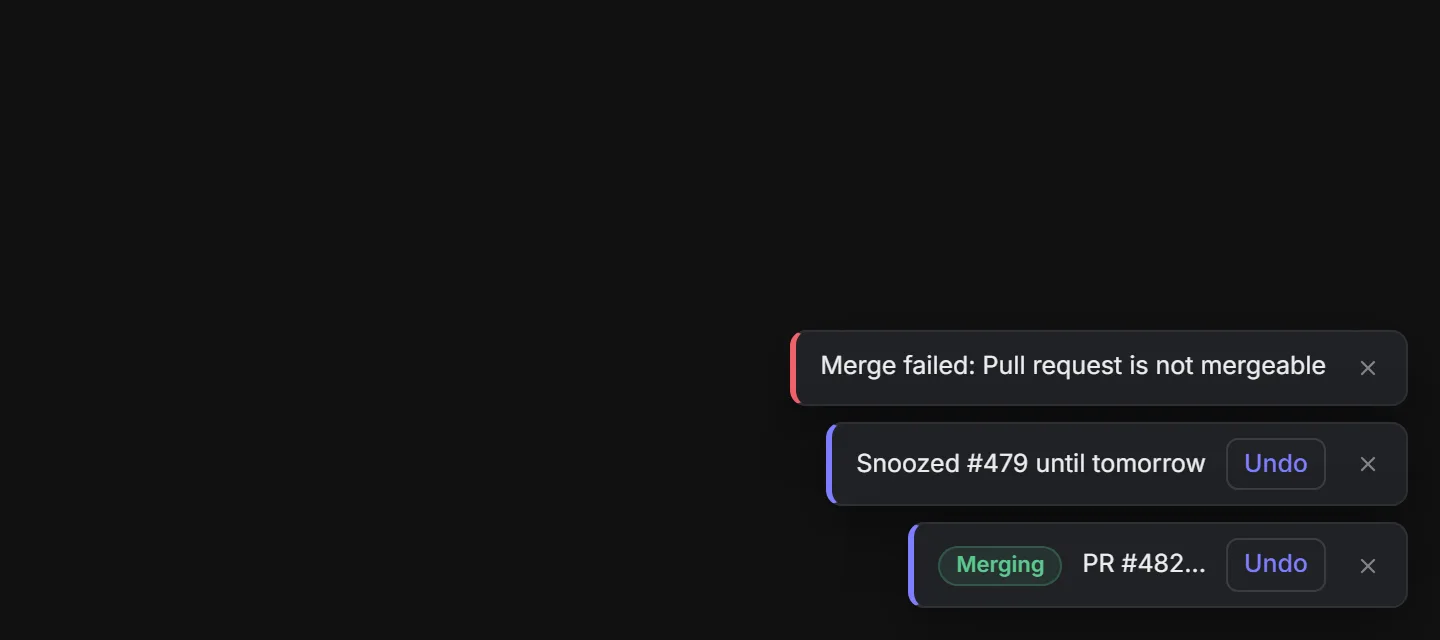
Results show up as a small toast at the bottom of the window, with Undo when the action can be taken back, like snoozing a pull request in Focus.
Also in this release
- Rerun failed checks no longer sends a check suite id where GitHub expects a workflow run id, so the rerun actually starts.
- Actions that GitHub answers with an empty response, like rerunning checks, no longer show up as failures.
- Clicking a pull request in the tray flyout brings the main window to the front and opens it there, instead of hiding the main window when it already had focus.
- Prune worktrees in the Settings window no longer marks every worktree as orphaned, so Select all orphaned can't remove worktrees whose pull requests are still open.
- The Settings window follows your theme instead of always opening light.
Put it on the side of your screen.
Version 4.4.3, released October 22, 2026. Install it once and it keeps itself up to date.